
















Fast Ways to Turn JPG Files into PES Embroidery Designs
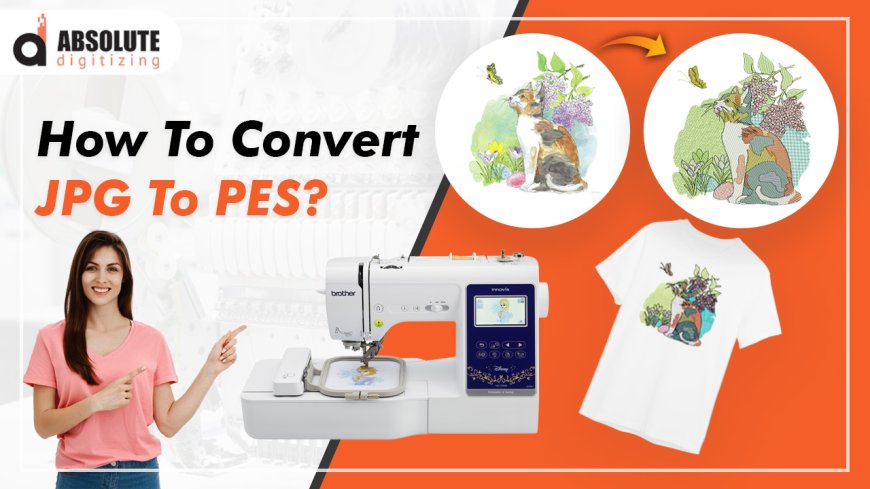
If youve ever wanted to turn a JPG image into an embroidered design, you know its not as simple as just uploading a picture to your machine. Embroidery requires a special file formatlike PES (used by Brother machines)that tells the needle where to stitch. Converting a JPG to PES isnt automatic, but with the right tools and techniques, you can do it quickly and get great results.
In this guide, well cover the fastest methods to convert JPG to PES embroidery designs, whether youre a beginner or looking for professional-quality digitizing.
Why You Cant Just Stitch a JPG Directly
A JPG is a raster image made of pixels, while an embroidery file (like PES) is a set of instructions for the machinestitch types, directions, colors, and sequence. Converting a JPG into an embroidery design requiresdigitizing, which means tracing the image and assigning stitches to recreate it in thread.
If you try to stitch a JPG without digitizing, youll either get an error or a messy, unrecognizable result. Thats why using the right conversion method matters.
Fastest Ways to Convert JPG to PES
1. Use Auto-Digitizing Software (Easiest Method)
If you need a quick solution, auto-digitizing software can convert JPG to PES in minutes. Some popular options:
- Hatch Embroidery Has an auto-digitizing feature that works well for simple designs.
- SewArt Budget-friendly auto-digitizing software.
- Ink/Stitch(Free) A free plugin for Inkscape that can convert images to stitches.
How it works:
- Upload your JPG.
- The software traces the image and generates stitches.
- Adjust settings (like stitch density and underlay).
- Export as PES.
Best for:Simple logos, basic shapes, and text. Complex designs may need manual tweaking.
2. Online Conversion Services (No Software Needed)
If you dont want to install software, some websites convert JPG to PES for a small fee:
- Embird Online
- Stitchize
- Digitizing Made Easy
How it works:
- Upload your JPG.
- Select PES as the output format.
- Pay (usually $10-$30 per design).
- Download the PES file.
Best for:One-time projects or if you dont want to learn digitizing software.
3. Manual Digitizing (Best Quality)
For the cleanest, most professional results, manually digitizing is the way to go. Software likeWilcom EmbroideryStudioorBrother PE-Designlets you trace the JPG and assign stitch types manually.
How it works:
- Import the JPG into digitizing software.
- Trace outlines with stitch tools (satin, fill, running stitch).
- Adjust stitch direction and density for smooth results.
- Export as PES.
Best for:Detailed logos, portraits, or designs with gradients.
4. Hire a Professional Digitizer (Fastest for Complex Designs)
If you need a high-quality PES file fast and dont want to do it yourself, hiring a digitizer is the best option. Sites likeFiverr,Upwork, or specialized embroidery digitizing services can turn your JPG into a PES file in 24 hours or less.
Cost:Typically $15-$50 per design, depending on complexity.
Tips for Better JPG-to-PES Conversions
? Start with a High-Contrast JPG
- Clean, simple images convert best.
- Avoid blurry or low-resolution files.
? Simplify the Design Before Converting
- Remove small text or intricate details (they wont stitch well).
- Use bold lines and solid colors.
? Test Stitch on Scrap Fabric
- Even auto-digitized files may need adjustments.
- Check for thread breaks or puckering.
Common Mistakes to Avoid
- Using a Low-Quality JPG Pixelated images lead to messy stitches.
- Skipping Underlay Stitches Without them, the design may sink into the fabric.
- Ignoring Fabric Type Thick fabrics (like denim) need different settings than thin ones (like cotton).
Which Method Should You Choose?
- Need it fast & easy?? Auto-digitizing software or online service.
- Want the best quality?? Manual digitizing or hire a pro.
- Doing this often?? Invest in good digitizing software.
Final Thoughts
Converting a JPG to PES doesnt have to be complicated. With auto-digitizing tools, online services, or professional help, you can turn any image into an embroidered design quickly. Just remember: the simpler the JPG, the better the result.
Ready to try it? Pick the method that fits your skill level and start stitching!